Read web content anytime offline
WebReader is a useful little desktop application that allows you to save web content for later offline reading.
In this age of constant internet connectivity, it's sometimes easy to forget that not everyone is connected at every moment of the day. A lot of people get around this issue by simply "saving" content they find on the internet via browser tabs for later viewing. This can be effective, if your browser doesn't crash while you're offline. If it does, there go all of the tabs you saved for later reading. That's where WebReader reader comes in.
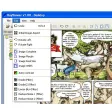
WebReader is a handy little application that lets you save web pages and content to a folder on your desktop. When you want to view it later, all you have to do is open up WebReader, locate the folder in which your document was saved, and click to read it. WebReader gives you the option to zoom in or out for better viewing, as well as simple document printing capabilities and options. If you have internet access, all the links on the page you've saved still work, so you can easily click back into your browser during your reading experience. WebReader even comes installed with "The Adventures of Sherlock Holmes," "Journey to the Centre of the Earth," and a frequently asked questions guide on how to use the product.
Sounds good, right? In most respects WebReader gets the job done, although I wouldn't suggest shelving your Kindle or other ebook reader just quite yet. WebReader's interface is a little clunky, without any real advanced options of which to speak. There's no way to hold your place in the document you're currently reading, for one. There's also as yet no option to store the program on a USB or other portable device.
If there's web content you want to read while your PC's offline though, WebReader's a wonderful tool.



























User reviews about WebReader
Have you tried WebReader? Be the first to leave your opinion!